


In-network providers and hospitals have agreed to discounted rates. If you go out-of-network, your health plan may pay less (or not at all), and you could owe much more out-of-pocket. Before you schedule an appointment, confirm that both the provider and the facility are in-network by searching Blueprint Portal’s provider directory (opens in a new window) or by calling the provider’s office.
When you have a procedure, it is common to receive more than one bill. Expect to see a bill from the facility (the hospital or clinic) and a separate bill from the provider(s) who treated you, read your test or read X-ray results.
When scheduling your visit, always ask
“Will any other providers be involved in my care, and are they in-network?”
Where you go for care can make a big difference in what you pay. For non-emergencies, starting with primary care, urgent care, or virtual care can often be faster and more affordable than the emergency room.
- Primary care provider (PCP): Best for check-ups, preventive visits, and ongoing health needs.
- Urgent care: Best for nonemergent issues that need attention soon but aren’t life-threatening.
- Emergency room (ER): Best for serious, life-threatening symptoms. In an emergency, call 911 or go to the nearest ER.
- Virtual health (if available on your plan): Best for minor concerns and some behavioral health needs when you can’t see your PCP. Check Blueprint Portal (opens in a new window) to see what virtual options are available to you.
Get step-by-step help using Blueprint Portal’s directory and care options.
Your PCP knows you best
They are familiar with your medical history and can help coordinate care, avoid duplicate tests and guide next steps if specialty care is needed. They should be your first option when seeking care.
The Find Care and Costs tool is one of the easiest ways to know your costs before your visit.
Good examples of services to check: Imaging (MRI/CT/ultrasound), lab work, outpatient procedures, therapy visits and planned surgeries.
- Sign in to Blueprint Portal (opens in a new window) and select Find Care & Costs.
- Search for the service you need.
- Compare in-network locations and view your estimated cost based on your deductible and out-of-pocket amounts.
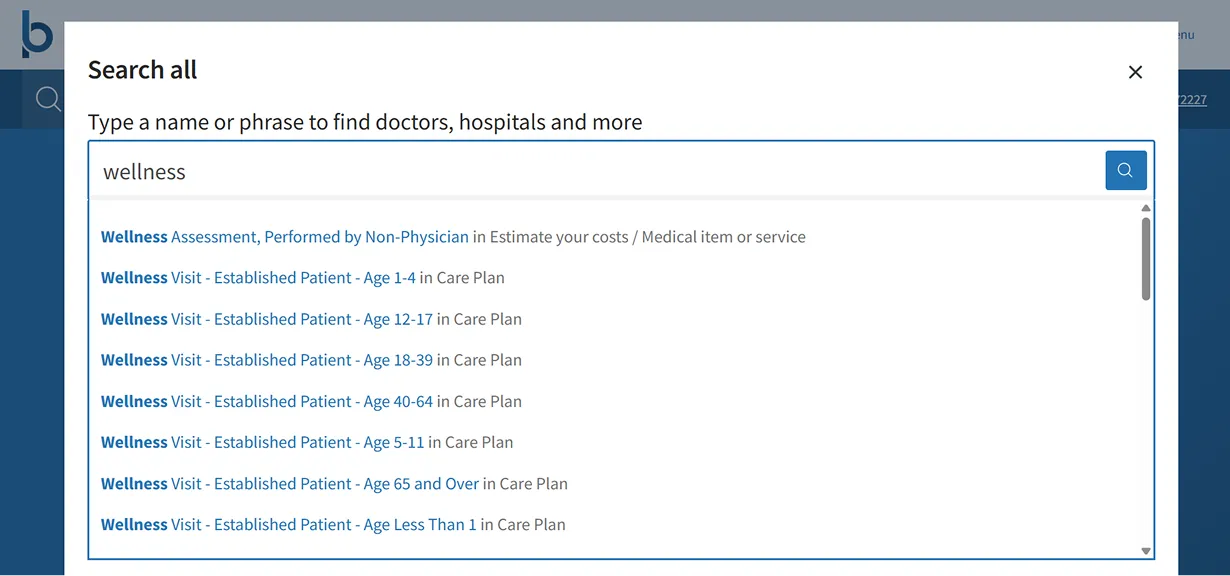
What are the cost estimates? Any cost you see in Blueprint Portal is an estimate based on your benefits and what has been processed so far in your network. Your actual cost may be different if services change, additional tests are done, or the claim is billed differently.
Use the Check Drug Costs tool in Blueprint Portal to look up estimated prices and compare options. Note: This tool is available if your pharmacy benefits are managed directly through your health plan.
- Compare what you may pay at different pharmacies.
- See whether a lower-cost alternative may be available (like a generic drug).
- Check whether home delivery could save you money (often a 90-day supply).
Good to know: Prescription estimates can change based on the pharmacy, dosage and your health plan rules.
If your visit turns into testing or treatment for a specific concern, other costs may apply. Check your benefits before you go to make sure you know what’s covered.
Many preventive services are covered at no cost when you use an in-network provider. The provider bills the service with preventive Current Procedural Terminology (CPT) codes (for example, an annual physical or age-recommended screenings).
What can change your cost
If your visit also includes an evaluation, testing or treatment for a specific concern, the provider may bill additional codes. This can result in charges, even during a preventive visit.
Ask ahead of time
Before your appointment, ask, “How will my visit be billed and what services could be billed outside preventive care?”

We’re here to help.
Sign in to Blueprint Portal to view your benefits and tools. If you’re trying to locate an in-network provider, urgent care center or a specific facility, we have resources to guide you. You can also call the Customer Service number on the back of your member ID card.